Shader Graph Handling
The following topics will be covered in this book:
- Creating a node graph container.
- Creating container input and output interfaces.
- Creating nodes in a graph.
- Connecting nodes in a graph.
- Adding and removing input and output interfaces
- Connecting graphs to nodes and nodes to graph.
- Creating a material and connecting the graph to the material.
- Renaming nodes
- Grouping and ungrouping graphs.
The utilities used in this tutorial are available in the mtlxutils file: mtlxutls/mxnodegraph.py for reuse.
Setup
The following pre-requisite setup steps need to performed first:
- Load MaterialX
- Creating a working document
- Loading in the standard library definitions
- Setting up a predicate to filter definitions on write.
import MaterialX as mx

# Version check
from mtlxutils.mxbase import *
haveVersion1387 = haveVersion(1, 38, 7)
if not haveVersion1387:
    print("** Warning: Minimum version is 1.38.7 for tutorials. Have version: ", mx.__version__)

stdlib = mx.createDocument()
searchPath = mx.getDefaultDataSearchPath()
libraryFolders = mx.getDefaultDataLibraryFolders()
try:
    libFiles = mx.loadLibraries(libraryFolders, searchPath, stdlib)
    print('MaterialX version %s. Loaded %d standard library definitions' % (mx.__version__, len(stdlib.getNodeDefs())))
except mx.Exception as err:
    print('Failed to load standard library definitions: "', err, '"')

doc = mx.createDocument()
doc.importLibrary(stdlib)

# Write predicate
def skipLibraryElement(elem):
    return not elem.hasSourceUri()

def validateDocument(doc):
    valid, errors = doc.validate()
    if not valid:
        print('> Document is not valid')
        print('> ' + errors)
    else:
        print('> Document is valid')

def print_document(doc):
    writeOptions = mx.XmlWriteOptions()
    writeOptions.writeXIncludeEnable = False
    writeOptions.elementPredicate = skipLibraryElement
    documentContents = mx.writeToXmlString(doc, writeOptions)
    print(documentContents)
MaterialX version 1.39.5. Loaded 803 standard library definitions
Creating a Node Graph
Create <nodegraph> Container
The first step to creating a useful node graph is to create the parent container (NodeGraph).
The interface addNodeGraph() can be used to do so.
As with documents, all children must be uniquely named. Name generation of child names uses the
createValidChildName() interface which can be used for documents, nodes, and node graphs.
def addNodeGraph(parent, name):
    """
    Add named nodegraph under parent
    """
    # Create a uniquely named node graph container under the parent document
    childName = parent.createValidChildName(name)

    # Create the node graph
    nodegraph = parent.addChildOfCategory('nodegraph', childName)
    return nodegraph

nodeGraph = addNodeGraph(doc,"test_nodegraph")
if nodeGraph:
    print('Created nodegraph:', mx.prettyPrint(nodeGraph))
Created nodegraph: <nodegraph name="test_nodegraph">
Creating Output Interfaces
A node graph container without any outputs (Output) isn't of much use as no data flow can occur.
Thus, at a minimum a NodeGraphs should create at least one child output.
This can be done using the addOutput() interface on a NodeGraph.
The same considerations should be given for creating an output for nodes. Namely:
- a unique name
- a proper type should be used.
In this case we want to create a graph which outputs a surfaceshader.
def addNodeGraphOutput(parent, type, name='out'):
    """
    Create an output with a unique name and proper type
    """
    if not parent.isA(mx.NodeGraph):
        return None

    newOutput = None
    childName = parent.createValidChildName(name)
    newOutput = parent.addOutput(childName, type)
    return newOutput

type = 'surfaceshader'
graphOutput = addNodeGraphOutput(nodeGraph, type)

# Print the graph
print_document(nodeGraph.getParent())
<?xml version="1.0"?>
<materialx version="1.39">
  <nodegraph name="test_nodegraph">
    <output name="out" type="surfaceshader" />
  </nodegraph>
</materialx>
Note that we are using getNamePath() to check parent / child relationships.
The path string (test_nodegraph/out) indicates that the new output has been correctly added as a child under the node graph container test_nodegraph. (where / is the parent/child path separator)
# Examine the path to the output
print('Path to output is: "%s"' % graphOutput.getNamePath())
Path to output is: "test_nodegraph/out"
Creating Graph Nodes
Nodes can now be created to add logic to the graph.
The basics book demonstrates how to create nodes as direct children of a Document.
The same interfaces are reused here, with the key difference being that the
they are created with respect to a NodeGraph instead of the Document.
That is, we call NodeGraph.addNodeInstance() instead of Document.addNodeInstance() to add
a node under a graph instead of a document.
A utility called createNode() is added for reuse.
def createNode(definitionName, parent, name):
    "Utility to create a node under a given parent using a definition name and desired instance name"
    nodeName = parent.createValidChildName(name)
    nodedef = doc.getNodeDef(definitionName)
    if nodedef:
        newNode = parent.addNodeInstance(nodedef, nodeName)
        if newNode:
            return newNode
    else:
        print('Cannot find definition:',  definitionName)
    return None

shaderNode = createNode('ND_standard_surface_surfaceshader', nodeGraph, 'test_shader')
if shaderNode:
    print('- Create shader node with path:', shaderNode.getNamePath())

# Print contents of graph
print('- Graph contents:\n')
print_document(nodeGraph.getParent())
- Create shader node with path: test_nodegraph/test_shader
- Graph contents:

<?xml version="1.0"?>
<materialx version="1.39">
  <nodegraph name="test_nodegraph">
    <output name="out" type="surfaceshader" />
    <standard_surface name="test_shader" type="surfaceshader" nodedef="ND_standard_surface_surfaceshader" />
  </nodegraph>
</materialx>
Connecting Nodes To Output Interfaces
To allow output data from the shader node to be accessible the shader node's output is connected to the graph containers output.
A utility called connectOutputToOutput() is used to hide the syntactic differences between connecting to an upstream node graph as
opposed to a node, and to check for "type compatibility", where "compatible" means both ports are of the exact same type.
Note that only upstream nodes, and graphs can to a downstream output. Inputs cannot be directly connected to an output. A dot node
should be used as a pass-through in this case.
Unfortunately, adding explicit outputs to nodes is not recommended, otherwise these can be pre-populated on a node to avoid the constant search on the definition if it is not found on the node. Basically a
addOutputFromNodeDef()utility could be called before making any connections.
def connectOutputToOutput(outputPort, upstream, upstreamOutputName):
    "Utility to connect a downstream output to an upstream node / node output"
    "If the types differ then no connection is made"
    if not upstream:
        return False

    # Cannot directly connect an input to an output
    if upstream.isA(mx.Input):
        return False

    upstreamType = upstream.getType()

    # Check for an explicit upstream output on the upstream node
    # or upstream node's definition
    if upstreamOutputName:
        upStreamPort = upstream.getActiveOutput(upstreamOutputName)
        if not upStreamPort:
            upstreamNodeDef = upstream.getNodeDef()
            if upstreamNodeDef:
                upStreamPort = upstreamNodeDef.getActiveOutput(upstreamOutputName)
            else:
                return False
        if upStreamPort:
            upstreamType = upStreamPort.getType()

    outputPortType  = outputPort.getType()
    if upstreamType != outputPortType:
        return False

    upstreamName = upstream.getName()
    attributeName = 'nodename'
    if upstream.isA(mx.NodeGraph):
        attributeName = 'nodegraph'
    outputPort.setAttribute(attributeName, upstreamName)

    # If an explicit output is specified on the upstream node/graph then
    # set it.
    if upstreamOutputName and upstream.getType() == 'multioutput':
        outputPort.setOutputString(upstreamOutputName)

    return True

# Make the connection
shaderNodeOutput = "out"
if connectOutputToOutput(graphOutput, shaderNode, shaderNodeOutput):
    print('Connected output "%s" to upstream output: %s.%s' % (graphOutput.getNamePath(), shaderNode.getNamePath(), shaderNodeOutput))
else:
    print('Failed to connected output "%s" to upstream output: %s.%s' % (graphOutput.getNamePath(), shaderNode.getNamePath(), shaderNodeOutput))


# Check the graph
print('\n')
print_document(nodeGraph.getParent())
Connected output "test_nodegraph/out" to upstream output: test_nodegraph/test_shader.out


<?xml version="1.0"?>
<materialx version="1.39">
  <nodegraph name="test_nodegraph">
    <output name="out" type="surfaceshader" nodename="test_shader" />
    <standard_surface name="test_shader" type="surfaceshader" nodedef="ND_standard_surface_surfaceshader" />
  </nodegraph>
</materialx>
Making Connections Between Nodes
Connections are formed from a downstream input to an upstream output. For this a wrapper function is
used to hide some of the syntactic peculiarities.
Setting a connection can be cumbersome for the same reason that setting a value can be cumbersome in that a node instance when created has no inputs instantiated. So a check must be made to see if it exists and if its not added. Then if input and outputs types match then the input can make the connection.
Additionally it is considered "invalid" to have both a value and a connection on an input, so
if a value has been set it must be removed. Conversely when a connection is removed a value must be
re-assigned.
As with value setting, the interface addInputFromNodeDef() is used to add individual inputs
if they do not exist. A utility called createNode() is added for convenience.
Having a connectNodeToNode() interface would be a useful to have in the core API to avoid having
to rewrite this logic.
Note that is currently considered undesirable to have explicit outputs defined on nodes which also adds undue complexity.
def connectNodeToNode(inputNode, inputName, outputNode, outputName):
    "Connect an input on one node to an output on another node. Existence and type checking are performed."
    "Returns input port with connection set if succesful. Otherwise None is returned."

    if not inputNode or not outputNode:
        return None


    # Check for the type.
    outputType = outputNode.getType()

    # If there is more than one output then we need to find the output type
    # from the output with the name we are interested in.
    outputPortFound = None
    outputPorts = outputNode.getOutputs()
    if outputPorts:
        # Look for an output with a given name, or the first if not found
        if not outputName:
            outputPortFound = outputPorts[0]
        else:
            outputPortFound = outputNode.getOutput(outputName)

    # If the output port is not found on the node instance then
    # look for it the corresponding definition
    if not outputPortFound:
        outputNodedef = outputNode.getNodeDef()
        if outputNodedef:
            outputPorts = outputNodedef.getOutputs()

            if outputPorts:
                # Look for an output with a given name, or the first if not found
                if not outputName:
                    outputPortFound = outputPorts[0]
                else:
                    outputPortFound = outputNodedef.getOutput(outputName)

    if outputPortFound:
        outputType = outputPortFound.getType()
    else:
        print('No output port found matching: ', outputName)

    # Add an input to the downstream node if it does not exist
    inputPort = inputNode.addInputFromNodeDef(inputName)

    if inputPort.getType() != outputType:
        print('Input type (%s) and output type (%s) do not match: ' % (inputPort.getType(), outputType))
        return None

    if inputPort:
        # Remove any value, and set a "connection" but setting the node name
        inputPort.removeAttribute('value')
        attributeName = 'nodename' if outputNode.isA(mx.Node) else 'nodegraph'
        inputPort.setAttribute(attributeName, outputNode.getName())
        if outputNode.getType() == 'multioutput' and outputName:
            inputPort.setOutputString(outputName)
    return inputPort

# Create a unique child name under the node graph container
imageNode = createNode("ND_image_color3", nodeGraph, "test_image")
if imageNode and shaderNode:
    inputConnnected = connectNodeToNode(shaderNode, "base_color", imageNode, "")
    if inputConnnected:
        print('Connected "%s" to "%s" in node graph "%s"' % (imageNode.getNamePath(), shaderNode.getNamePath(),
                                                          nodeGraph.getNamePath()))

# Check the graph
print('\n')
print_document(nodeGraph.getParent())
Connected "test_nodegraph/test_image" to "test_nodegraph/test_shader" in node graph "test_nodegraph"


<?xml version="1.0"?>
<materialx version="1.39">
  <nodegraph name="test_nodegraph">
    <output name="out" type="surfaceshader" nodename="test_shader" />
    <standard_surface name="test_shader" type="surfaceshader" nodedef="ND_standard_surface_surfaceshader">
      <input name="base_color" type="color3" nodename="test_image" />
    </standard_surface>
    <image name="test_image" type="color3" nodedef="ND_image_color3" />
  </nodegraph>
</materialx>
Adding Input Interfaces
Just as child outputs can be added to a NodeGraph, child inputs (Input) can also be added.
Adding inputs can be thought of as exposing the internal inputs as "public" interfaces.
The interface addInputInterface() can be used to add one or more inputs. These inputs can then be connected to inputs on node children within the node graph container.
Note that
NodeGraph.addInterfaceName()can only be used for a graph which represents an implementation of a definition ('functional nodegraph'). An error condition will always be thrown otherwise. It would be useful if this interface handled non-functional nodegraphs as well.)
def addInputInterface(name, typeString, parent):
    "Add a type input interface. Will always create a new interface"

    validType = False
    typedefs = parent.getDocument().getTypeDefs()
    for t in typedefs:
        if typeString in t.getName():
            validType = True
            break

    if validType:
        validName = parent.createValidChildName(name)
        parent.addInput(validName, typeString)

# Add interfaces
addInputInterface('input_file', 'filename', nodeGraph)
addInputInterface('color_scale', 'float', nodeGraph)

# Check the graph
writeOptions = mx.XmlWriteOptions()
writeOptions.writeXIncludeEnable = False
writeOptions.elementPredicate = skipLibraryElement

print('Added input interfaces: "input_file" and "color_scale"\n')
print_document(nodeGraph.getParent())
Added input interfaces: "input_file" and "color_scale"

<?xml version="1.0"?>
<materialx version="1.39">
  <nodegraph name="test_nodegraph">
    <output name="out" type="surfaceshader" nodename="test_shader" />
    <standard_surface name="test_shader" type="surfaceshader" nodedef="ND_standard_surface_surfaceshader">
      <input name="base_color" type="color3" nodename="test_image" />
    </standard_surface>
    <image name="test_image" type="color3" nodedef="ND_image_color3" />
    <input name="input_file" type="filename" />
    <input name="color_scale" type="float" />
  </nodegraph>
</materialx>
The connection for interfaces is slightly different in that instead of an Output an Input is being connected to a downstream Input.
We will again write a utility to hide some of the syntactic peculiarities.
def connectInterface(nodegraph, interfaceName, internalInput):
    "Add an interface input to a nodegraph if it does not already exist."
    "Connect the interface to the internal input. Returns interface input"

    if not nodegraph or not interfaceName or not internalInput:
        return None

    interfaceInput = nodegraph.getInput(interfaceName)

    # Create a new interface with the desired type
    if not interfaceInput:
        interfaceName = nodeGraph.createValidChildName(interfaceName)
        interfaceInput = nodegraph.addInput(interfaceName, internalInput.getType())

    # Copy attributes from internal input to interface.
    # Remove undesired attributes.
    interfaceInput.copyContentFrom(internalInput)
    interfaceInput.removeAttribute('sourceUri')
    interfaceInput.removeAttribute('interfacename')

    # Logic transfer any value from the internal input to the interface.
    # If none is found then use the the default value as defined by the definition.
    internalInputType = internalInput.getType()
    if internalInput.getValue():
        internaInputValue = internalInput.getValue()
        if internaInputValue:
            interfaceInput.setValue(internaInputValue, internalInputType)
        else:
            internalNode = internalInput.getParent()
            internalNodeDef = internalNode.getNodeDef() if internalNode else None
            internalNodeDefInput = internalNodeDef.getInput(interfaceName) if internalNodeDef else None
            internaInputValue = internalNodeDefInput.getValue() if internalNodeDefInput else None
            if internaInputValue:
                interfaceInput.setValue(internaInputValue, internalInputType)

    # Remove "value" from internal input as it's value is via a connection
    internalInput.removeAttribute('value')

    # "Connect" the internal node's input to the interface. Remove any
    # specified value
    internalInput.setInterfaceName(interfaceName)

    return interfaceInput
First example exposes the 'file' input as an 'input_file' interface to the graph.
# Add a 'file' input to the child node
imageFileInput = imageNode.addInputFromNodeDef('file')
imageFileInputType = imageFileInput.getType()
imageFileInput.setValue("checker.png", imageFileInputType)
# Connect it to interface intput on "input_file"
connectInterface(nodeGraph, "input_file", imageNode.getInput('file'))

print_document(nodeGraph.getParent())
<?xml version="1.0"?>
<materialx version="1.39">
  <nodegraph name="test_nodegraph">
    <output name="out" type="surfaceshader" nodename="test_shader" />
    <standard_surface name="test_shader" type="surfaceshader" nodedef="ND_standard_surface_surfaceshader">
      <input name="base_color" type="color3" nodename="test_image" />
    </standard_surface>
    <image name="test_image" type="color3" nodedef="ND_image_color3">
      <input name="file" type="filename" interfacename="input_file" />
    </image>
    <input name="input_file" type="filename" value="checker.png" />
    <input name="color_scale" type="float" />
  </nodegraph>
</materialx>
Second example to expose "base" as a "color_scale" input on the graph.
# Second example: Publish 'base' as an interface. "Transfer"
# the default value from 'base' on the shader node to the interfce input.
baseInput = shaderNode.addInputFromNodeDef('base')
connectInterface(nodeGraph, "color_scale", baseInput)

print_document(nodeGraph.getParent())
<?xml version="1.0"?>
<materialx version="1.39">
  <nodegraph name="test_nodegraph">
    <output name="out" type="surfaceshader" nodename="test_shader" />
    <standard_surface name="test_shader" type="surfaceshader" nodedef="ND_standard_surface_surfaceshader">
      <input name="base_color" type="color3" nodename="test_image" />
      <input name="base" type="float" interfacename="color_scale" />
    </standard_surface>
    <image name="test_image" type="color3" nodedef="ND_image_color3">
      <input name="file" type="filename" interfacename="input_file" />
    </image>
    <input name="input_file" type="filename" value="checker.png" />
    <input name="color_scale" type="float" value="1" />
  </nodegraph>
</materialx>
Third example to add the 'color_scale' input with the non-default value from 'base_color'
# Set a non-default value to be added to the published interface
baseInput.setValue(0.2, baseInput.getType())
connectInterface(nodeGraph, "color_scale", baseInput)

print_document(nodeGraph.getParent())
<?xml version="1.0"?>
<materialx version="1.39">
  <nodegraph name="test_nodegraph">
    <output name="out" type="surfaceshader" nodename="test_shader" />
    <standard_surface name="test_shader" type="surfaceshader" nodedef="ND_standard_surface_surfaceshader">
      <input name="base_color" type="color3" nodename="test_image" />
      <input name="base" type="float" interfacename="color_scale" />
    </standard_surface>
    <image name="test_image" type="color3" nodedef="ND_image_color3">
      <input name="file" type="filename" interfacename="input_file" />
    </image>
    <input name="input_file" type="filename" value="checker.png" />
    <input name="color_scale" type="float" value="0.2" />
  </nodegraph>
</materialx>
As a final step, we check that the document is valid and then write out the entire document to a file.
# Check the entire document
isValid = doc.validate()
if not isValid:
    print('Document is not valid')
else:
    # Save document
    mx.writeToXmlFile(doc, 'data/sample_nodegraph.mtlx', writeOptions)

    print('Wrote document to file: data/sample_nodegraph.mtlx\n')
    print_document(doc)
Wrote document to file: data/sample_nodegraph.mtlx

<?xml version="1.0"?>
<materialx version="1.39">
  <nodegraph name="test_nodegraph">
    <output name="out" type="surfaceshader" nodename="test_shader" />
    <standard_surface name="test_shader" type="surfaceshader" nodedef="ND_standard_surface_surfaceshader">
      <input name="base_color" type="color3" nodename="test_image" />
      <input name="base" type="float" interfacename="color_scale" />
    </standard_surface>
    <image name="test_image" type="color3" nodedef="ND_image_color3">
      <input name="file" type="filename" interfacename="input_file" />
    </image>
    <input name="input_file" type="filename" value="checker.png" />
    <input name="color_scale" type="float" value="0.2" />
  </nodegraph>
</materialx>
Connecting Node to a NodeGraph
Now that we have a graph with appropriate interfaces we can create a "material" by connecting it to a downstream material node (material).
# Create  material node
materialNode = createNode('ND_surfacematerial', doc, 'my_material')
if materialNode:
    print('Create material node: %s\n' % materialNode.getName())

# Connect the material node to the output of the graph
connectNodeToNode(materialNode, 'surfaceshader', nodeGraph, 'out')

# Check results
print_document(doc)
Create material node: my_material

<?xml version="1.0"?>
<materialx version="1.39">
  <nodegraph name="test_nodegraph">
    <output name="out" type="surfaceshader" nodename="test_shader" />
    <standard_surface name="test_shader" type="surfaceshader" nodedef="ND_standard_surface_surfaceshader">
      <input name="base_color" type="color3" nodename="test_image" />
      <input name="base" type="float" interfacename="color_scale" />
    </standard_surface>
    <image name="test_image" type="color3" nodedef="ND_image_color3">
      <input name="file" type="filename" interfacename="input_file" />
    </image>
    <input name="input_file" type="filename" value="checker.png" />
    <input name="color_scale" type="float" value="0.2" />
  </nodegraph>
  <surfacematerial name="my_material" type="material" nodedef="ND_surfacematerial">
    <input name="surfaceshader" type="surfaceshader" nodegraph="test_nodegraph" />
  </surfacematerial>
</materialx>
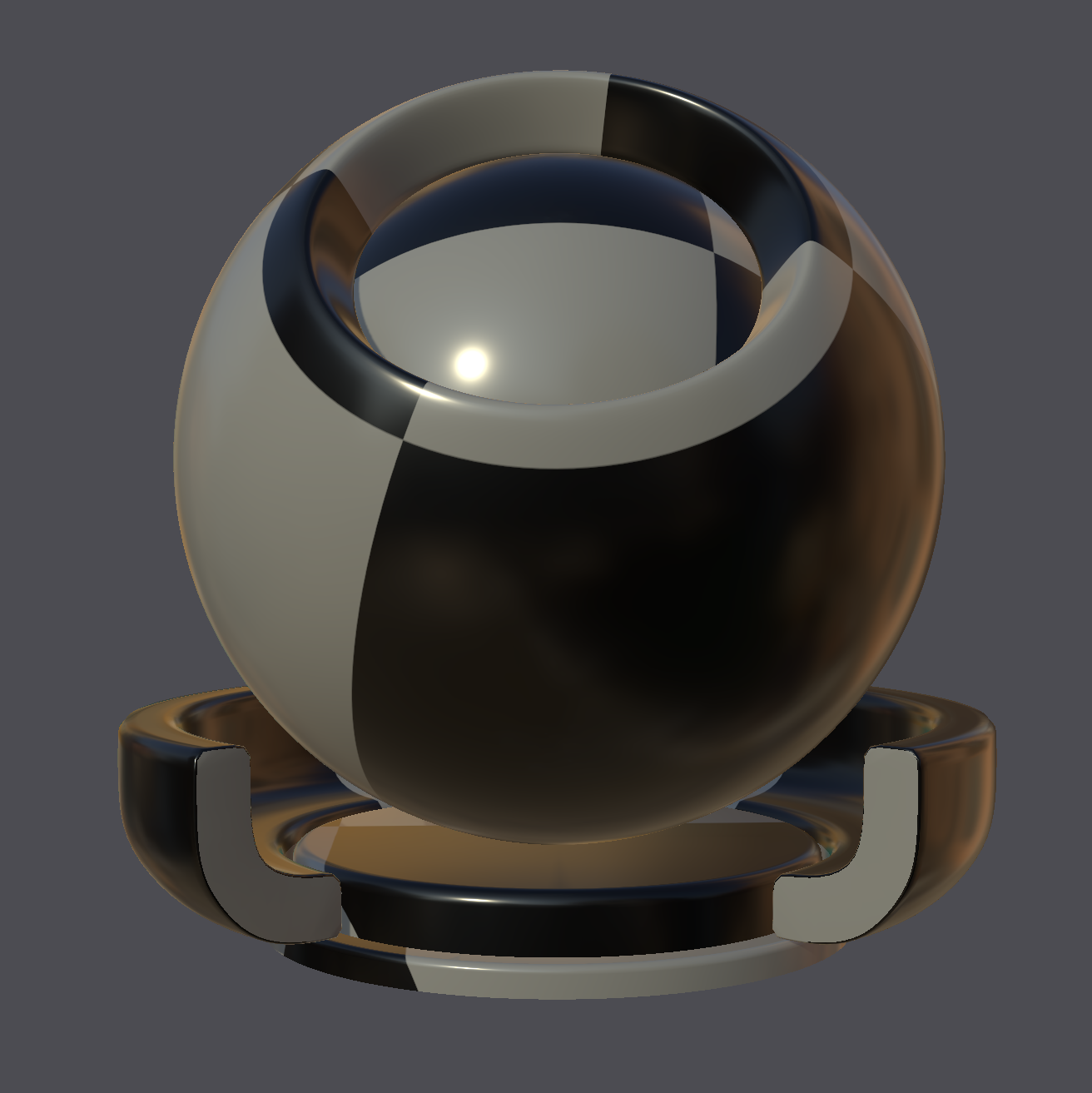
Material Graph Result
The resulting document is shown in XML, diagram and rendered form. (The render is performed using the MaterialXView utility)

# Check the entire document
validateDocument(doc)
writeOptions = mx.XmlWriteOptions()
writeOptions.writeXIncludeEnable = False
writeOptions.elementPredicate = skipLibraryElement

# Save document
mx.writeToXmlFile(doc, 'data/sample_nodegraph.mtlx', writeOptions)

print('Wrote document to file: data/sample_nodegraph.mtlx\n')
print_document(doc)
> Document is valid
Wrote document to file: data/sample_nodegraph.mtlx

<?xml version="1.0"?>
<materialx version="1.39">
  <nodegraph name="test_nodegraph">
    <output name="out" type="surfaceshader" nodename="test_shader" />
    <standard_surface name="test_shader" type="surfaceshader" nodedef="ND_standard_surface_surfaceshader">
      <input name="base_color" type="color3" nodename="test_image" />
      <input name="base" type="float" interfacename="color_scale" />
    </standard_surface>
    <image name="test_image" type="color3" nodedef="ND_image_color3">
      <input name="file" type="filename" interfacename="input_file" />
    </image>
    <input name="input_file" type="filename" value="checker.png" />
    <input name="color_scale" type="float" value="0.2" />
  </nodegraph>
  <surfacematerial name="my_material" type="material" nodedef="ND_surfacematerial">
    <input name="surfaceshader" type="surfaceshader" nodegraph="test_nodegraph" />
  </surfacematerial>
</materialx>
Renaming Nodes
If you just rename a node without renaming references to it, then the references will be broken. Currently the interface for setting node names is "unsafe" in that it does not check for references to the node.
Below a utility is added to rename a node and update all references to it. It uses the existing interface getDownStreamPorts() to find all references to a node and updates them.
def renameNode(node, newName : str, updateReferences : bool = True):

    if not node or not newName:
        return
    if not (node.isA(mx.Node) or node.isA(mx.NodeGraph)):
        print('A non-node or non-nodegraph was passed to renameNode()')
        return
    if node.getName() == newName:
        return

    parent = node.getParent()
    if not parent:
        return

    newName = parent.createValidChildName(newName)

    if updateReferences:
        downStreamPorts = node.getDownstreamPorts()
        if downStreamPorts:
            for port in downStreamPorts:
                #if (port.getNodeName() == node.getName()): This is assumed from getDownstreamPorts()
                oldName = port.getNodeName()
                if (port.getAttribute('nodename')):
                    port.setNodeName(newName)
                    print('  > Update downstream port: "' + port.getNamePath() + '" from:"' + oldName + '" to "' + port.getAttribute('nodename') + '"')
                elif (port.getAttribute('nodegraph')):
                    port.setAttribute('nodegraph', newName)
                    print('  > Update downstream port: "' + port.getNamePath() + '" from:"' + oldName + '" to "' + port.getAttribute('nodegraph') + '"')
                elif (port.getAttribute('interfacename')):
                    port.setAttribute('interfacename', newName)
                    print('  > Update downstream port: "' + port.getNamePath() + '" from:"' + oldName + '" to "' + port.getAttribute('interfacename') + '"')

    node.setName(newName)
# Test renaming to the same name. This will be a no-op
shaderNode = nodeGraph.getNode('test_shader')
renameNode(shaderNode, 'test_shader')
print('> Result with renaming to same name:\n')
print_document(nodeGraph.getParent())
> Result with renaming to same name:

<?xml version="1.0"?>
<materialx version="1.39">
  <nodegraph name="test_nodegraph">
    <output name="out" type="surfaceshader" nodename="test_shader" />
    <standard_surface name="test_shader" type="surfaceshader" nodedef="ND_standard_surface_surfaceshader">
      <input name="base_color" type="color3" nodename="test_image" />
      <input name="base" type="float" interfacename="color_scale" />
    </standard_surface>
    <image name="test_image" type="color3" nodedef="ND_image_color3">
      <input name="file" type="filename" interfacename="input_file" />
    </image>
    <input name="input_file" type="filename" value="checker.png" />
    <input name="color_scale" type="float" value="0.2" />
  </nodegraph>
  <surfacematerial name="my_material" type="material" nodedef="ND_surfacematerial">
    <input name="surfaceshader" type="surfaceshader" nodegraph="test_nodegraph" />
  </surfacematerial>
</materialx>
print('> Rename with new names, but without updating references:')
# Then rename to a new name
renameNode(shaderNode, 'new_shader', False)
# Also rename the image node
imageNode = nodeGraph.getNode('test_image')
renameNode(imageNode, 'new_image', False)

print('\n')
print_document(nodeGraph.getParent())
> Rename with new names, but without updating references:


<?xml version="1.0"?>
<materialx version="1.39">
  <nodegraph name="test_nodegraph">
    <output name="out" type="surfaceshader" nodename="test_shader" />
    <standard_surface name="new_shader" type="surfaceshader" nodedef="ND_standard_surface_surfaceshader">
      <input name="base_color" type="color3" nodename="test_image" />
      <input name="base" type="float" interfacename="color_scale" />
    </standard_surface>
    <image name="new_image" type="color3" nodedef="ND_image_color3">
      <input name="file" type="filename" interfacename="input_file" />
    </image>
    <input name="input_file" type="filename" value="checker.png" />
    <input name="color_scale" type="float" value="0.2" />
  </nodegraph>
  <surfacematerial name="my_material" type="material" nodedef="ND_surfacematerial">
    <input name="surfaceshader" type="surfaceshader" nodegraph="test_nodegraph" />
  </surfacematerial>
</materialx>
validateDocument(doc)

# Restore old names
shaderNode.setName('test_shader')
imageNode.setName('test_image')
> Document is not valid
> Invalid port connection: <output name="out" type="surfaceshader" nodename="test_shader">
Invalid port connection: <input name="base_color" type="color3" nodename="test_image">
print('> Rename with new names, but with references updated:')
renameNode(shaderNode, 'new_shader', True)
renameNode(imageNode, 'new_image', True)

print('\n')
print_document(nodeGraph.getParent())

# Check the entire document
print('\n')
validateDocument(doc);
> Rename with new names, but with references updated:
  > Update downstream port: "test_nodegraph/out" from:"test_shader" to "new_shader"
  > Update downstream port: "test_nodegraph/new_shader/base_color" from:"test_image" to "new_image"


<?xml version="1.0"?>
<materialx version="1.39">
  <nodegraph name="test_nodegraph">
    <output name="out" type="surfaceshader" nodename="new_shader" />
    <standard_surface name="new_shader" type="surfaceshader" nodedef="ND_standard_surface_surfaceshader">
      <input name="base_color" type="color3" nodename="new_image" />
      <input name="base" type="float" interfacename="color_scale" />
    </standard_surface>
    <image name="new_image" type="color3" nodedef="ND_image_color3">
      <input name="file" type="filename" interfacename="input_file" />
    </image>
    <input name="input_file" type="filename" value="checker.png" />
    <input name="color_scale" type="float" value="0.2" />
  </nodegraph>
  <surfacematerial name="my_material" type="material" nodedef="ND_surfacematerial">
    <input name="surfaceshader" type="surfaceshader" nodegraph="test_nodegraph" />
  </surfacematerial>
</materialx>


> Document is valid
<?xml version="1.0"?>
<materialx version="1.39">
  <nodegraph name="test_nodegraph">
    <output name="out" type="surfaceshader" nodename="new_shader" />
    <standard_surface name="new_shader" type="surfaceshader" nodedef="ND_standard_surface_surfaceshader">
      <input name="base_color" type="color3" nodename="new_image" />
      <input name="base" type="float" interfacename="color_scale" />
    </standard_surface>
    <image name="new_image" type="color3" nodedef="ND_image_color3">
      <input name="file" type="filename" interfacename="input_file" />
    </image>
    <input name="input_file" type="filename" value="checker.png" />
    <input name="color_scale" type="float" value="0.2" />
  </nodegraph>
  <surfacematerial name="my_material" type="material" nodedef="ND_surfacematerial">
    <input name="surfaceshader" type="surfaceshader" nodegraph="test_nodegraph" />
  </surfacematerial>
</materialx>


> Document is valid
Finding Input Interfaces
Sometimes it can be useful to find what inputs nodegraph are connected downstream to a given interface input.
The findInputsUsingInterface() utility demonstrates how to do this.
def findDownStreamElementsUsingInterface(nodegraph, interfaceName):

    connectedInputs = []
    connectedOutputs = []
    interfaceInput = nodegraph.getInput(interfaceName)
    if not interfaceInput:
        return

    # Find all downstream connections for this interface

    for child in nodegraph.getChildren():
        if child == interfaceInput:
            continue

        # Check inputs on nodes
        if child.isA(mx.Node):
            for input in child.getInputs():
                childInterfaceName = input.getAttribute('interfacename')
                if childInterfaceName == interfaceName:
                    connectedInputs.append(input.getNamePath())

        # Check outputs on a nodegraph. Note this is not fully supported for code generation
        # as of 1.38.10 but instead a 'dot' node is recommended to be used between an
        # input interface and an output interface. This would be found in the node check above.
        elif child.isA(mx.Output):
            childInterfaceName = child.getAttribute('interfacename')
            if childInterfaceName == interfaceName:
                connectedOutputs.append(child.getNamePath())

    return connectedInputs, connectedOutputs
connectedInputs, connectedOutputs = findDownStreamElementsUsingInterface(nodeGraph, "input_file")
print('Connected inputs:', connectedInputs)
print('Connected outputs:', connectedOutputs)
Connected inputs: ['test_nodegraph/new_image/file']
Connected outputs: []
Disconnecting and Removing Input Interfaces
These interfaces can be "unpublished" by removing them from the graph and breaking any connections to downstream nodes or outputs. It is may be desirable to leave the interface input for later usage as well.
The unconnectInterface() utility demonstrates how to do this with the option to remove the interface input as well.
To attempt to keep the behaviour the same the interface's value is copied to the input.
def unconnectInterface(nodegraph, interfaceName, removeInterface=True):

    interfaceInput = nodegraph.getInput(interfaceName)
    if not interfaceInput:
        return

    # Find all downstream connections for this interface

    for child in nodegraph.getChildren():
        if child == interfaceInput:
            continue

        # Remove connection on node inputs and copy interface value
        # to the input value so behaviour does not change
        if child.isA(mx.Node):
            for input in child.getInputs():
                childInterfaceName = input.getAttribute('interfacename')
                if childInterfaceName == interfaceName:
                    input.setValueString(interfaceInput.getValueString())
                    input.removeAttribute('interfacename')

        # Remove connection on the output. Value are not copied over.
        elif child.isA(mx.Output):
            childInterfaceName = child.getAttribute('interfacename')
            if childInterfaceName == interfaceName:
                child.removeAttribute('interfacename')

    if removeInterface:
        nodegraph.removeChild(interfaceName)
# Disconnect and remove the interface
unconnectInterface(nodeGraph, "input_file", True)

# Check the graph
print_document(nodeGraph.getParent())
<?xml version="1.0"?>
<materialx version="1.39">
  <nodegraph name="test_nodegraph">
    <output name="out" type="surfaceshader" nodename="new_shader" />
    <standard_surface name="new_shader" type="surfaceshader" nodedef="ND_standard_surface_surfaceshader">
      <input name="base_color" type="color3" nodename="new_image" />
      <input name="base" type="float" interfacename="color_scale" />
    </standard_surface>
    <image name="new_image" type="color3" nodedef="ND_image_color3">
      <input name="file" type="filename" value="checker.png" />
    </image>
    <input name="color_scale" type="float" value="0.2" />
  </nodegraph>
  <surfacematerial name="my_material" type="material" nodedef="ND_surfacematerial">
    <input name="surfaceshader" type="surfaceshader" nodegraph="test_nodegraph" />
  </surfacematerial>
</materialx>
Connecting an upstream node to a graph
As a final connection example we look at connecting an upstream node to a graph. This is done by connecting the node's output to the graph's input.
- As noted previsouly, an
inputcannot have both a connection and a value. Thus if the graph input has a value it will be removed before the connection is made. - The utility function has some additional logic to transfer the value to an input on the upstream node if desired.
- If the upstream node has multiple outputs, the correct output be specified by setting the
outputattribute on the graph's input.
This would be a good general practice to always specify the output but the validation logic currently considers this to be an error.
def connectToGraphInput(node, outputName, nodegraph, inputName, transferNodeInput):
    "Connect an output on a node to an input on a nodegraph"
    "Returns the input port on the nodegraph if successful, otherwise None"

    if not node or not nodegraph:
        print('No node or nodegraph specified')
        return None

    nodedef = node.getNodeDef()
    if not nodedef:
        print('Cannot find node definition for node:', node.getName())
        return None

    outputPort = nodedef.getOutput(outputName)
    if not outputPort:
        print('Cannot find output port:', outputName, 'for the node:', node.getName())
        return None

    inputPort = nodegraph.getInput(inputName)
    if not inputPort:
        print('Cannot find input port:', inputName, 'for the nodegraph:', nodegraph.getName())
        return None

    if outputPort.getType() != inputPort.getType():
        print('Output type:', outputPort.getType(), 'does not match input type:', inputPort.getType())
        return None

    # Transfer the value from the graph input to a specified upstream input
    if transferNodeInput:
        if inputPort.getValue():
            newInput = node.addInputFromNodeDef(transferNodeInput)
            if newInput and (newInput.getType() == inputPort.getType()):
                newInput.setValueString(inputPort.getValueString())

    # Remove any value, and set a "connection" but setting the node name
    inputPort.removeAttribute('value')
    inputPort.setAttribute('nodename', node.getName())
    if node.getType() == 'multioutput':
        inputPort.setOutputString(outputName)

    return inputPort
# Create an upstream constant float node
colorNode = createNode('ND_constant_float', doc, 'constant_float')
if colorNode:
    print('Create color node: %s\n' % colorNode.getName())
    # Connect the color node to the graph input
    result = connectToGraphInput(colorNode, 'out', nodeGraph, 'color_scale', 'value')
    if not result:
        print('Failed to connect color node to graph input\n')
Create color node: constant_float
The resulting document looks like this:

# Check the graph
print_document(nodeGraph.getParent())
<?xml version="1.0"?>
<materialx version="1.39">
  <nodegraph name="test_nodegraph">
    <output name="out" type="surfaceshader" nodename="new_shader" />
    <standard_surface name="new_shader" type="surfaceshader" nodedef="ND_standard_surface_surfaceshader">
      <input name="base_color" type="color3" nodename="new_image" />
      <input name="base" type="float" interfacename="color_scale" />
    </standard_surface>
    <image name="new_image" type="color3" nodedef="ND_image_color3">
      <input name="file" type="filename" value="checker.png" />
    </image>
    <input name="color_scale" type="float" nodename="constant_float" />
  </nodegraph>
  <surfacematerial name="my_material" type="material" nodedef="ND_surfacematerial">
    <input name="surfaceshader" type="surfaceshader" nodegraph="test_nodegraph" />
  </surfacematerial>
  <constant name="constant_float" type="float" nodedef="ND_constant_float">
    <input name="value" type="float" value="0.2" />
  </constant>
</materialx>
Renaming (Revisited)
Now that we have a fully formed graph, we can perform some final renaming on the top level constant and nodegraph.
renameNode(doc.getNode('constant_float'), 'new_constant_float', True);
print('\n')
print_document(doc)
validateDocument(doc)
  > Update downstream port: "test_nodegraph/color_scale" from:"constant_float" to "new_constant_float"


<?xml version="1.0"?>
<materialx version="1.39">
  <nodegraph name="test_nodegraph">
    <output name="out" type="surfaceshader" nodename="new_shader" />
    <standard_surface name="new_shader" type="surfaceshader" nodedef="ND_standard_surface_surfaceshader">
      <input name="base_color" type="color3" nodename="new_image" />
      <input name="base" type="float" interfacename="color_scale" />
    </standard_surface>
    <image name="new_image" type="color3" nodedef="ND_image_color3">
      <input name="file" type="filename" value="checker.png" />
    </image>
    <input name="color_scale" type="float" nodename="new_constant_float" />
  </nodegraph>
  <surfacematerial name="my_material" type="material" nodedef="ND_surfacematerial">
    <input name="surfaceshader" type="surfaceshader" nodegraph="test_nodegraph" />
  </surfacematerial>
  <constant name="new_constant_float" type="float" nodedef="ND_constant_float">
    <input name="value" type="float" value="0.2" />
  </constant>
</materialx>

> Document is valid
nodegraph = doc.getNodeGraph('test_nodegraph')
renameNode(nodegraph, 'new_nodegraph', True)
print('\n')
print_document(doc)
print('\n')
validateDocument(doc)
  > Update downstream port: "my_material/surfaceshader" from:"" to "new_nodegraph"


<?xml version="1.0"?>
<materialx version="1.39">
  <nodegraph name="new_nodegraph">
    <output name="out" type="surfaceshader" nodename="new_shader" />
    <standard_surface name="new_shader" type="surfaceshader" nodedef="ND_standard_surface_surfaceshader">
      <input name="base_color" type="color3" nodename="new_image" />
      <input name="base" type="float" interfacename="color_scale" />
    </standard_surface>
    <image name="new_image" type="color3" nodedef="ND_image_color3">
      <input name="file" type="filename" value="checker.png" />
    </image>
    <input name="color_scale" type="float" nodename="new_constant_float" />
  </nodegraph>
  <surfacematerial name="my_material" type="material" nodedef="ND_surfacematerial">
    <input name="surfaceshader" type="surfaceshader" nodegraph="new_nodegraph" />
  </surfacematerial>
  <constant name="new_constant_float" type="float" nodedef="ND_constant_float">
    <input name="value" type="float" value="0.2" />
  </constant>
</materialx>


> Document is valid
Renaming Ports
At the current time there is no API support for quickly finding the downstream ports from a given port. The renameNode() utility has a firewall check to avoid trying to call getDownstreamPorts() on a port.
# This does not work
colorScale = nodegraph.getInput('color_scale')
if colorScale:
    renameNode(colorScale, 'new_color_scale', True)
    print('> No change in color scale name:', colorScale.getName())
A non-node or non-nodegraph was passed to renameNode()
> No change in color scale name: color_scale
The workaround is to use logic like findDownStreamElementsUsingInterface() to find the downstream ports and rename them.
# Use traversal to find and rename
newScaleName = 'new_color_scale'
downstreamInputs, downstreamOutputs = findDownStreamElementsUsingInterface(nodegraph, colorScale.getName())
# Combine inputs and outputs
downstreamInputs.extend(downstreamOutputs)
if downstreamInputs:
    for item in downstreamInputs:
        downStreamElement = doc.getDescendant(item)
        if (downStreamElement):
            print('> Rename:' + downStreamElement.getNamePath() + ' interfacename from ' + colorScale.getName() + ' to ' + newScaleName)
            downStreamElement.setAttribute('interfacename', newScaleName)
            colorScale.setName(newScaleName)

print(' ')
print_document(doc)
print(' ')
validateDocument(doc)
> Rename:new_nodegraph/new_shader/base interfacename from color_scale to new_color_scale

<?xml version="1.0"?>
<materialx version="1.39">
  <nodegraph name="new_nodegraph">
    <output name="out" type="surfaceshader" nodename="new_shader" />
    <standard_surface name="new_shader" type="surfaceshader" nodedef="ND_standard_surface_surfaceshader">
      <input name="base_color" type="color3" nodename="new_image" />
      <input name="base" type="float" interfacename="new_color_scale" />
    </standard_surface>
    <image name="new_image" type="color3" nodedef="ND_image_color3">
      <input name="file" type="filename" value="checker.png" />
    </image>
    <input name="new_color_scale" type="float" nodename="new_constant_float" />
  </nodegraph>
  <surfacematerial name="my_material" type="material" nodedef="ND_surfacematerial">
    <input name="surfaceshader" type="surfaceshader" nodegraph="new_nodegraph" />
  </surfacematerial>
  <constant name="new_constant_float" type="float" nodedef="ND_constant_float">
    <input name="value" type="float" value="0.2" />
  </constant>
</materialx>


> Document is valid
Flattening NodeGraphs
Following is a sample of the complexity behind ungrouping. The general logic is:
- Copy all the nodes inside a graph to the parent graph
- If nodes are renamed -- either explicitly or due to name clashes at the parent level then reset the connections on these nodes. This is required as there is no run-time binary representation for links but instead string references are used. Thus all references of renamed nodes must be done manually.
- Remove an graph input interfaces. If the interfaces are connected to any upstream nodes, then any internal nodes referencing the interfaces need to be reconnected. Again this is by string reference changes.
- Remove any graph output interfaces. If the interface are connected to any downstream nodes, then the references on the downstrea nodes need to be remapped to the appropriate node that was connected to the the output interface.
- Delete the graph.
Note that an alternative to remove interfaces could be to add dot nodes which act as passthroughs but this can cause undesired clutter in the result.
def ungroup(doc: mx.Document, graph: mx.NodeGraph):
    """
    Flatten a MaterialX NodeGraph into its parent graph.
    """

    parent = graph.getParent()
    if not isinstance(parent, (mx.Document, mx.NodeGraph)):
        return

    node_map = {}

    nodegraph_name = graph.getName()
    doc = graph.getDocument()

    # Promote the nodes to parent
    # Also create a map from old to new nodes.
    for node in graph.getNodes():
        new_name = f'{nodegraph_name}_{node.getName()}'
        new_name = parent.createValidChildName(new_name)

        new_node = parent.addNode(
            node.getCategory(),
            new_name,
            node.getType()
        )
        new_node.copyContentFrom(node)
        print(f'Add maping of old: {node.getNamePath()} to new: {new_node.getNamePath()}')

        node_map[node.getName()] = new_node

    # Rewrite internal node inputs.
    # - Handle references in new node inputs to other internal nodes which have been remapped to new names
    # - Handle graph input connections (interfacename) by routingg any upstream node to the input, or just eliding the value
    for new_node in node_map.values():
        for new_input in new_node.getInputs():
            nodeattribute = new_input.getAttribute('nodename')
            if nodeattribute in node_map:
                print(f'node connection match: {nodeattribute} in {[node.getName() for node in node_map.values()]}')
                mapped_node = node_map[nodeattribute]
                if mapped_node:
                    #old_node_name = old_node.getName()
                    mapped_attribute = mapped_node.getName()
                    new_input.setAttribute('nodename', mapped_attribute)
                    print(f'Rename {nodeattribute}, to node: {mapped_attribute} on input {new_input.getNamePath()}')

            nodeinterface = new_input.getAttribute('interfacename')
            graph_input = graph.getInput(nodeinterface)
            if graph_input:
                upstream_node = graph_input.getConnectedNode()
                if upstream_node:
                    new_input.setAttribute('nodename', upstream_node.getName())
                    new_input.removeAttribute('interfacename')
                    print(f'Connect input {new_input.getNamePath()} to upstream node: {upstream_node.getNamePath()} from graph input: {graph_input.getNamePath()}')
                else:
                    new_input.setValue(graph_input.getValue())
                    new_input.removeAttribute('interfacename')
                    print(f'Set value on input {new_input.getNamePath()} from graph input: {graph_input.getNamePath()}')

    # Restore any downstream graph connections
    downstream_ports = graph.getDownstreamPorts()
    print(f'Graph downstream ports: {[port.getNamePath() for port in downstream_ports]}')
    old_graph_outputs = graph.getOutputs()
    if old_graph_outputs:
        for port in downstream_ports:
            port_node = port.getParent()
            port_output = port.getOutputString()
            if port_output:
                src = graph.getOutput(port_output).getConnectedNode()
            else:
                src = old_graph_outputs[0].getConnectedNode()
            if src:
                new_src = node_map[src.getName()]
                print(f'Found downstream port: {port.getNamePath()} connected to graph output source node: {new_src.getNamePath()}')
                port.removeAttribute('nodegraph')
                port.setAttribute('nodename', new_src.getName())

    # Remove existing graph
    parent.removeNodeGraph(graph.getName())
We use the provided utility to "flatten" the graph.
# Test flattening

doc2 = mx.createDocument()
doc2.copyContentFrom(doc)

graph = doc2.getNodeGraph('new_nodegraph')
print('Flattening nodegraph:', graph.getName())
ungroup(doc2, graph)

valid, error = doc2.validate()
if not valid:
    print('Document is not valid after flattening:', error)
else:
    print('Document is valid after flattening')

print('\nFlattened document contents:\n\n')
print_document(doc2)
Flattening nodegraph: new_nodegraph
Add maping of old: new_nodegraph/new_shader to new: new_nodegraph_new_shader
Add maping of old: new_nodegraph/new_image to new: new_nodegraph_new_image
node connection match: new_image in ['new_nodegraph_new_shader', 'new_nodegraph_new_image']
Rename new_image, to node: new_nodegraph_new_image on input new_nodegraph_new_shader/base_color
Connect input new_nodegraph_new_shader/base to upstream node: new_constant_float from graph input: new_nodegraph/new_color_scale
Graph downstream ports: ['my_material/surfaceshader']
Found downstream port: my_material/surfaceshader connected to graph output source node: new_nodegraph_new_shader
Document is valid after flattening

Flattened document contents:


<?xml version="1.0"?>
<materialx version="1.39">
  <surfacematerial name="my_material" type="material" nodedef="ND_surfacematerial">
    <input name="surfaceshader" type="surfaceshader" nodename="new_nodegraph_new_shader" />
  </surfacematerial>
  <constant name="new_constant_float" type="float" nodedef="ND_constant_float">
    <input name="value" type="float" value="0.2" />
  </constant>
  <standard_surface name="new_nodegraph_new_shader" type="surfaceshader" nodedef="ND_standard_surface_surfaceshader">
    <input name="base_color" type="color3" nodename="new_nodegraph_new_image" />
    <input name="base" type="float" nodename="new_constant_float" />
  </standard_surface>
  <image name="new_nodegraph_new_image" type="color3" nodedef="ND_image_color3">
    <input name="file" type="filename" value="checker.png" />
  </image>
</materialx>

Document is valid after flattening

Flattened document contents:


<?xml version="1.0"?>
<materialx version="1.39">
  <surfacematerial name="my_material" type="material" nodedef="ND_surfacematerial">
    <input name="surfaceshader" type="surfaceshader" nodename="new_nodegraph_new_shader" />
  </surfacematerial>
  <constant name="new_constant_float" type="float" nodedef="ND_constant_float">
    <input name="value" type="float" value="0.2" />
  </constant>
  <standard_surface name="new_nodegraph_new_shader" type="surfaceshader" nodedef="ND_standard_surface_surfaceshader">
    <input name="base_color" type="color3" nodename="new_nodegraph_new_image" />
    <input name="base" type="float" nodename="new_constant_float" />
  </standard_surface>
  <image name="new_nodegraph_new_image" type="color3" nodedef="ND_image_color3">
    <input name="file" type="filename" value="checker.png" />
  </image>
</materialx>
Grouping Utilities
The complexity of grouping a set of nodes into a new graph is shown below. Even though an arbitrary parent is provided the logic does not handle this case currently.
The logic is:
- Create a new graph under the desired parent graph element
- Copy all the nodes into the new graph. As the graph is empty there should be no name clashes so the original names will always be preserved.
- Find the nodes that are not being grouped (external to graph).
- For each external input if it references a node which in the new graph (moved):
- Add an output interface on the graph and connect it to the reference node
- Remap the extern input to reference the new output.
- For any internal node input which references a node not in the new graph (external):
- Create a new input interface on the graph and connect the node input to the input interface.
- Reference the external node from the input interface.
One optimization is to reuse input or output interfaces though this could be added by looking for existing interfaces that reference the same upstream node. Note that if the reference is to a specific upstream output that must be taken into consideration. The simple way presented is to use the node name + node output as the key for new interface nodes.
Both external upstream graph as wellas atomic nodes are handled by same logic with only the connection meta data attribute differing.
It would be much simpler if the connections were specified as as single path to a port vs separate strings for node and differing
connection type references as is the connection used for OpenUSD.
def group(parent: mx.GraphElement, nodes: list[mx.Node], nodegraph_name: str) :
    """
    Group nodes in a MaterialX Document into a NodeGraph.
    """

    graph : mx.NodeGraph = parent.addChildOfCategory('nodegraph', nodegraph_name)

    # Copy nodes into the graph
    node_map = {}
    for node in nodes:
        new_node = graph.addNode(
            node.getCategory(),
            node.getName(),
            node.getType()
        )
        new_node.copyContentFrom(node)

        # Keep mapping from old to new node
        node_map[node.getName()] = new_node

    # Find nodes under parent not in node_map
    for parent_node in parent.getNodes():
        if parent_node.getName() not in node_map:
            print(f'Parent node {parent_node.getNamePath()} is external to the group')
            # check if parent inputs reference any of the nodes in the group
            for parent_input in parent_node.getInputs():
                nodeattribute = parent_input.getAttribute('nodename')
                nodeoutput = parent_input.getOutputString()
                if nodeattribute in node_map:
                    print(f'  > Parent input {parent_input.getNamePath()} references internal node: {nodeattribute}')
                    internal_node = node_map[nodeattribute]
                    # Create an interface output on the graph. Reuse the same output if the same node is referenced multiple times
                    output_name = graph.createValidChildName('out_' + nodeattribute + (('_' + nodeoutput) if nodeoutput else ''))
                    graph_output = graph.getOutput(output_name)
                    if not graph_output:
                        graph_output = graph.addOutput(
                            output_name,
                            parent_input.getType()
                        )

                    # Connect the graph output to the upstream internal node (output)
                    graph_output.setAttribute('nodename', internal_node.getName())
                    if nodeoutput:
                        graph_output.setOutputString(nodeoutput)

                    # Connect the parent input to the graph output
                    parent_input.setAttribute('nodegraph', graph.getName())
                    parent_input.removeAttribute('nodename')
                    #if len(graph.getOutputs()) > 1:
                    parent_input.setOutputString(output_name)
                    print(f'    > Created graph output: {graph_output.getNamePath()} and connected to input: {parent_input.getNamePath()}')


    # Check if any inputs reference nodes not in the graph
    connection_types = ['nodename', 'nodegraph']
    for new_node in graph.getNodes():
        for new_input in new_node.getInputs():

            for conn_type in connection_types:
                nodeattribute = new_input.getAttribute(conn_type)
                if nodeattribute and nodeattribute not in node_map:
                    node_output = new_input.getOutputString()

                    print(f'Input {new_input.getNamePath()} references external node: {nodeattribute}')

                    # Create an interface input on the graph. Reuse the same input if the same node + output is referenced multiple times
                    new_input_name = graph.createValidChildName('in' + '_' + nodeattribute + (('_' + node_output) if node_output else ''))
                    graph_input = graph.getInput(new_input_name)
                    if not graph_input:
                        graph_input = graph.addInput(
                            new_input_name,
                            new_input.getType()
                        )
                        # Connect graph input to external node. Add output port connection if needed
                        graph_input.setAttribute('nodename', nodeattribute)
                        if node_output:
                            graph_input.setOutputString(node_output)

                    # Connect the internal node's input to the new interface input
                    new_input.setAttribute('interfacename', graph_input.getName())
                    new_input.removeAttribute('nodename')
                    print(f'  > Created graph input: {graph_input.getNamePath()} and connected to input: {new_input.getNamePath()}')
doc3 = mx.createDocument()
doc3.copyContentFrom(doc2)

nodes = doc3.getNodes()
nodes_to_group = []
for node in nodes:
    if node.getName() not in ['my_material', 'new_constant_float', 'new_nodegraph_new_image']:
        nodes_to_group.append(node)
nodes = nodes_to_group
print('Grouping nodes:', [node.getName() for node in nodes])
group(parent=doc3, nodes=nodes, nodegraph_name='new_nodegraph')
for node in nodes:
    doc3.removeChild(node.getName())
Grouping nodes: ['new_nodegraph_new_shader']
Parent node my_material is external to the group
  > Parent input my_material/surfaceshader references internal node: new_nodegraph_new_shader
    > Created graph output: new_nodegraph/out_new_nodegraph_new_shader and connected to input: my_material/surfaceshader
Parent node new_constant_float is external to the group
Parent node new_nodegraph_new_image is external to the group
Input new_nodegraph/new_nodegraph_new_shader/base_color references external node: new_nodegraph_new_image
  > Created graph input: new_nodegraph/in_new_nodegraph_new_image and connected to input: new_nodegraph/new_nodegraph_new_shader/base_color
Input new_nodegraph/new_nodegraph_new_shader/base references external node: new_constant_float
  > Created graph input: new_nodegraph/in_new_constant_float and connected to input: new_nodegraph/new_nodegraph_new_shader/base
print('\nRegrouped document contents:\n')
print_document(doc3)
Regrouped document contents:

<?xml version="1.0"?>
<materialx version="1.39">
  <surfacematerial name="my_material" type="material" nodedef="ND_surfacematerial">
    <input name="surfaceshader" type="surfaceshader" nodegraph="new_nodegraph" output="out_new_nodegraph_new_shader" />
  </surfacematerial>
  <constant name="new_constant_float" type="float" nodedef="ND_constant_float">
    <input name="value" type="float" value="0.2" />
  </constant>
  <image name="new_nodegraph_new_image" type="color3" nodedef="ND_image_color3">
    <input name="file" type="filename" value="checker.png" />
  </image>
  <nodegraph name="new_nodegraph">
    <standard_surface name="new_nodegraph_new_shader" type="surfaceshader" nodedef="ND_standard_surface_surfaceshader">
      <input name="base_color" type="color3" interfacename="in_new_nodegraph_new_image" />
      <input name="base" type="float" interfacename="in_new_constant_float" />
    </standard_surface>
    <output name="out_new_nodegraph_new_shader" type="surfaceshader" nodename="new_nodegraph_new_shader" />
    <input name="in_new_nodegraph_new_image" type="color3" nodename="new_nodegraph_new_image" />
    <input name="in_new_constant_float" type="float" nodename="new_constant_float" />
  </nodegraph>
</materialx>